Your teeth look different on video calls because a webcam is not photographing you; it is guessing thousands of times a minute about light, colour and detail, and you are sitting there watching it guess.
A still photo is one set of decisions frozen in place. A mirror is a fixed optical relationship you have known your whole life. A video call is neither. It is a small sensor in poor light, a wide lens at close range, an automatic colour correction that keeps changing its mind, a codec throwing away detail to fit your connection, and often a smoothing filter on top, all updating live while your own face sits in the corner of the screen for hours.
None of that is a reason to change your teeth. It is a reason to stop drawing conclusions from a video window.
Key takeaways
- Front cameras are wide-angle, typically around 24 to 28 millimetres full-frame equivalent, so whatever is closest to the lens is enlarged.
- Research published in JAMA Facial Plastic Surgery found a portrait taken at about 30 centimetres made the nasal base appear roughly 30 per cent wider in men and 29 per cent wider in women than one taken from about 1.5 metres.
- Dental shade matching is done under light of about 5500 to 6500 kelvin with a colour rendering index of at least 90. A warmer ring light pushes everything, including your teeth, towards yellow.
- Automatic white balance re-estimates the colour of the light continuously, and mixed lighting is a known hard case, which is why your teeth can shift colour mid-meeting.
- Video platforms compress heavily and allocate detail selectively, so tooth edges can look smeared, blocky or banded at the gum line.
- Surveys report high rates of new appearance concerns arising on video, so the sensible response is to assess shade in daylight, unfiltered and up close, rather than on a call.
How this differs from photos and mirrors
We have written separately about the two related situations. Our article on why teeth look different in photos deals with the single captured frame: flash, lens choice, angle and the accident of one particular moment. Our article on why teeth look different in the mirror deals with lateral inversion, familiarity and self-perception.
This page covers the case neither of those does: a live image re-processed continuously, compressed to fit a network, and watched by you, about yourself, for hours. Those three things are unique to video calls.
The lens: wide angle at close range
Most laptop and phone front cameras sit around 24 to 28 millimetres full-frame equivalent, a wide field of view chosen so you fit in the frame in a small room. Portrait photographers generally work around 50 millimetres equivalent, because it approximates how faces are perceived in person.
Wide lenses exaggerate the difference in distance between near and far parts of a subject, so at laptop distance the parts of your face closest to the camera are enlarged. The published measurements are for the nose: a portrait at about 30 centimetres increased apparent nasal base width by roughly 30 per cent in men and 29 per cent in women against one taken from about 1.5 metres. A later study reported a similar increase in the ratio of nasal breadth to cheekbone width, plus about 6.4 per cent greater nasal length.
What that means for teeth
There is no published figure for how much a webcam distorts tooth width or smile width. What can be said is that the same geometry applies to whatever is closest to the lens, and the teeth of someone leaning towards a laptop are unusually close to it. Alignment, midline and relative tooth widths can all read differently as a result. Wide field-of-view cameras also encourage people to move closer so they do not appear small, which worsens the effect.
The light: colour temperature and why warm light reads yellow
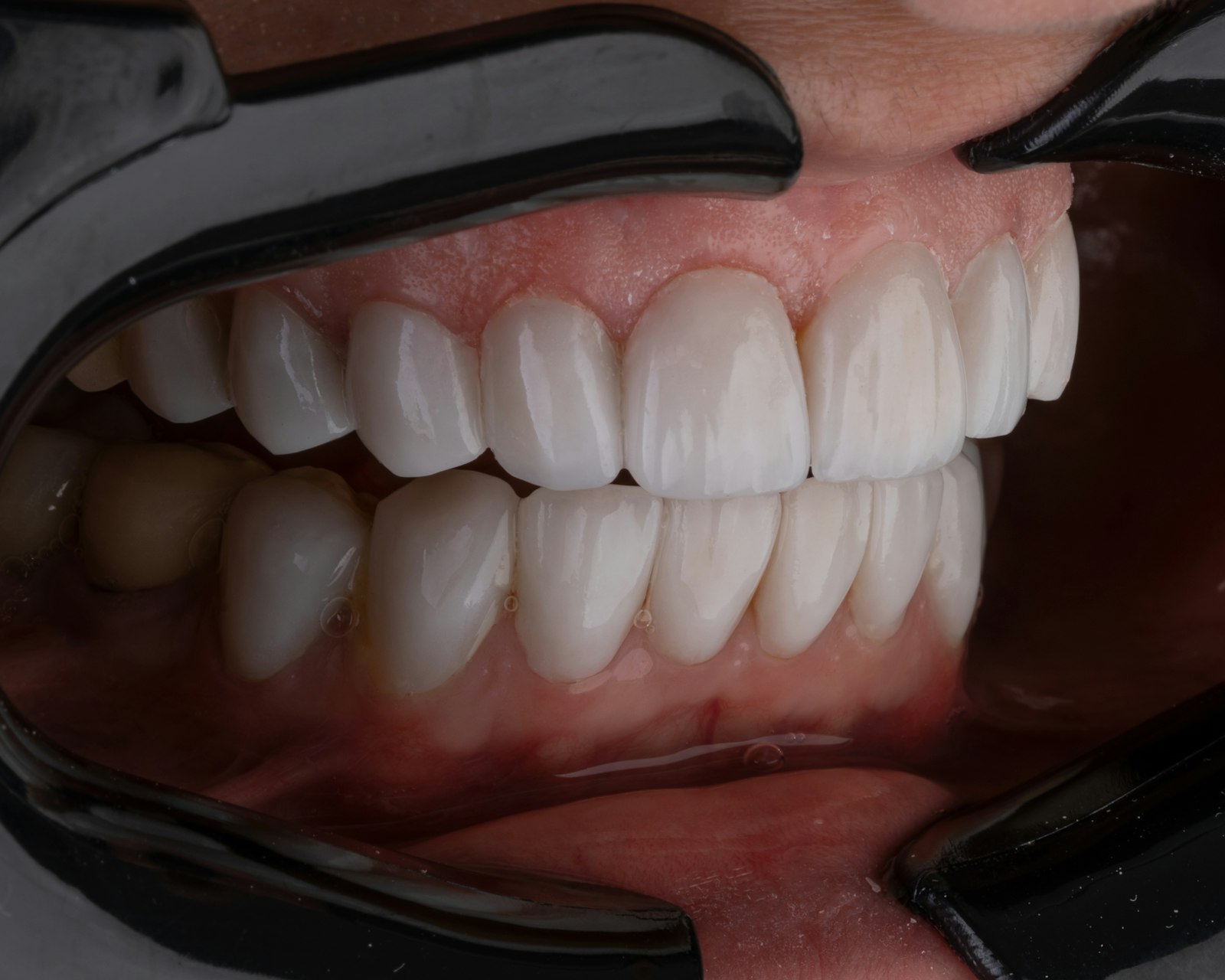
Dentistry has numbers for this, because tooth shade cannot be assessed reliably under arbitrary light. Recommended conditions for shade selection are a light source of roughly 5500 to 6500 kelvin with a colour rendering index of at least 90. Clinical dental photography is white balanced at approximately 5500 kelvin for the same reason.
Lower kelvin values are warmer, meaning more red and yellow. A ring light or lamp below that range pushes the whole image warm, and teeth are among the first things people notice it on, because they expect them to be neutral. This is the commonest explanation for teeth looking yellow on calls and fine in daylight.
Colour rendering index matters as much as colour temperature. It describes how faithfully a light reproduces colours across the spectrum, which is why the clinical recommendation specifies both. A light that measures 5500 kelvin but renders badly can still make teeth look wrong.
Metamerism, or why your crown looked fine in the surgery
Two things that match under one light source will not necessarily match under another. This is a real physical principle, routine in shade matching, and it explains a complaint I hear regularly: a filling, veneer or crown that matched in the chair and looks different on a call. Neither view is the lie. Our guide to tooth shade matching explains how this is managed clinically.
Automatic white balance keeps changing its mind
Automatic white balance is not a setting applied once. The camera continuously estimates the colour of the light falling on the scene and corrects for it. Mixed-illuminant scenes are a documented hard case for these algorithms, and a home office is usually exactly that: a warm ring light in front, daylight from a window to one side, a blue-white monitor filling in from below.
When the balance of those sources shifts, because a cloud passes or you change what is on screen, the algorithm re-estimates and the image shifts with it. Your teeth appear to change colour mid-meeting. They have not. The camera changed its mind about what white is.
Small sensors in dim rooms
Sensor size matters more than megapixels in low light. A larger sensor with modest resolution outperforms a small high-resolution one, because larger pixels gather more light and produce less noise. Most webcams have very small sensors.
In a dim room the camera compensates by amplifying the signal, and amplification brings noise. The result is grain, blotchy colour and muddy edges, concentrated in exactly the fine detail that makes teeth look defined. Turning up screen brightness does nothing. Adding light in front of you does.
Compression throws detail away
Video conferencing compresses aggressively, and compression is lossy by design. What comes out the other end has blocking, colour banding and reduced fine detail. At typical conferencing bitrates, the difference between camera megapixel counts is largely irrelevant, because the bottleneck is the bitrate rather than the sensor.
There is a further wrinkle. Codecs allocate bits according to content, and there is patented work on skin tone and feature detection specifically for videoconferencing compression. The platform is deciding which parts of your face to preserve and which to approximate. Tooth edges, the gum line boundary and the fine translucency at the biting edges are high-detail, low-area features, and among the first to be simplified.

Beauty filters make shade judgements meaningless
Platform touch-up features smooth skin and lighten the image. They are not calibrated to any shade standard. Any conclusion you draw about your teeth while a filter is running is a conclusion about the filter.
The research is unflattering here. People who compare their appearance with other callers are more likely to use filters, and greater engagement with video-manipulation behaviours is associated with higher dysmorphic concern. If you want to know what your teeth actually look like, turn the filter off, then stop using the call as the measurement at all.
Watching yourself for hours
The last factor is not optical. Video calls put a live image of your own face in front of you continuously, which no other daily situation does. Research on facial appearance dissatisfaction and video call fatigue links self-focused attention to appearance concern, with concerns increasing in proportion to time spent on video.
The surveys are striking. In one, 36 per cent of respondents reported identifying new aspects of their appearance they disliked while on video. In another, more than 85 per cent disliked at least one feature of their appearance during video conferencing. Those figures come from different populations answering different questions, so they are not comparable, and cross-sectional surveys cannot show causation. Still, the direction is consistent.
Zoom dysmorphia is a described phenomenon, not a diagnosis
The term comes from a paper by Rice, Graber and Kourosh in Facial Plastic Surgery and Aesthetic Medicine, with further discussion in Plastic and Reconstructive Surgery. It describes a pattern clinicians noticed: front-facing camera distortion feeding a rise in cosmetic consultations. It is a proposed concept, not a recognised disorder, and not something a dentist diagnoses. Naming a pattern makes it easier to step back from it.
What your webcam is doing to your smile, and what to change
| What the camera or software is doing | Why it happens | What it does to how your teeth look | What you can change in 30 seconds |
|---|---|---|---|
| Wide-angle lens at close range | Front cameras are around 24 to 28 millimetres equivalent, and you lean in | Whatever is closest to the lens is enlarged, so proportions and alignment read wrong | Sit back an arm's length and raise the camera to eye level |
| Automatic white balance | The camera keeps re-guessing the colour of the light, and mixed sources are hard | Tooth colour drifts warmer or cooler mid-call | Use one dominant light source in front of you rather than a mix |
| Warm light source | Lights below about 5500 kelvin push the image towards yellow and red | Teeth read yellower than they are | Use a light closer to daylight, roughly 5000 to 6500 kelvin, with good colour rendering |
| Small sensor in a dim room | Small pixels gather little light, so the camera amplifies and adds noise | Grain, blotchy colour and muddy edges on the teeth | Add light in front of you rather than turning up screen brightness |
| Heavy compression | The platform strips data to fit the available bandwidth | Blocky or smeared tooth edges, colour banding at the gum line | Close other tabs, use a cable, or move closer to the router |
| Beauty or touch-up filter | Smoothing and lightening applied automatically | Any judgement about shade or shape becomes unreliable | Turn touch-up off before you judge anything |
| Watching your own self-view | Sustained self-focused attention, reported in the literature | You notice things you would never notice in a mirror | Hide self-view |
When a colour change is worth an examination
There is a simple rule that separates a camera artefact from a clinical finding. A change you can also see in daylight, unfiltered, up close, and particularly one confined to a single tooth, is worth having examined. A change you only ever see on a call is a camera artefact.
And when it is worth talking to your GP instead
If appearance concern takes up a lot of your day, if you avoid calls or turn the camera off because of how you look, or if you repeatedly check or edit your appearance, that is worth raising with your GP rather than a dentist. Cosmetic dentistry is not the right tool for that problem, and the source literature on this topic makes the same point.
If you do want to do something about tooth colour, base the decision on how the teeth look in daylight, and get an opinion on the cause first. Our comparison of professional and at-home whitening is a reasonable next read, as is our piece on whether lipstick makes teeth look whiter, which is really about perception and contrast.
Common questions
Why do my teeth look yellow on video calls but not in the mirror?
Usually the colour temperature of your light. Shade assessment uses light around 5500 to 6500 kelvin, and most home lighting is warmer, which pushes the image towards yellow. Automatic white balance and compression add their own shifts. Bathroom mirrors are often lit closer to daylight.
Is the front camera or the back camera more accurate?
The rear camera on a phone is typically a longer lens with a larger sensor, so at a sensible distance it distorts proportions less. Distance matters more than which camera you use. Neither camera shows an objectively true image, because both apply their own processing.
What is Zoom dysmorphia?
It is a term coined in the plastic surgery and dermatology literature to describe appearance concerns that arise or worsen through video calls, driven partly by front-camera distortion. It is a described phenomenon and a proposed screening concept, not a formal diagnosis, and it is not something assessed at a dental appointment.
Does a ring light make your teeth look yellow?
It can, if its colour temperature is warm. Many ring lights are adjustable. Setting one closer to daylight, roughly 5000 to 6500 kelvin, and placing it in front of you rather than to the side or behind, tends to give a more neutral rendering of tooth colour.
Should I turn off the touch-up filter before judging my teeth?
Yes. Touch-up features smooth and lighten without reference to any shade standard, so any assessment made with one running tells you about the filter rather than the teeth. Turn it off, and then assess in daylight rather than on the call.
Assess it in daylight, not on a call
If something about your teeth has bothered you since you started spending time on video, look at them under known light, unfiltered, then get an opinion on what is actually there. The team at Lumi Dental in Melrose Park can assess tooth colour and shape under clinical lighting during a general check-up and examination. You can see what is currently available for new patients on our current offers page.
This article is general information only and is not a substitute for an examination. If you have a specific concern about the colour, shape or position of a tooth, please speak with a dental practitioner about your own situation.